


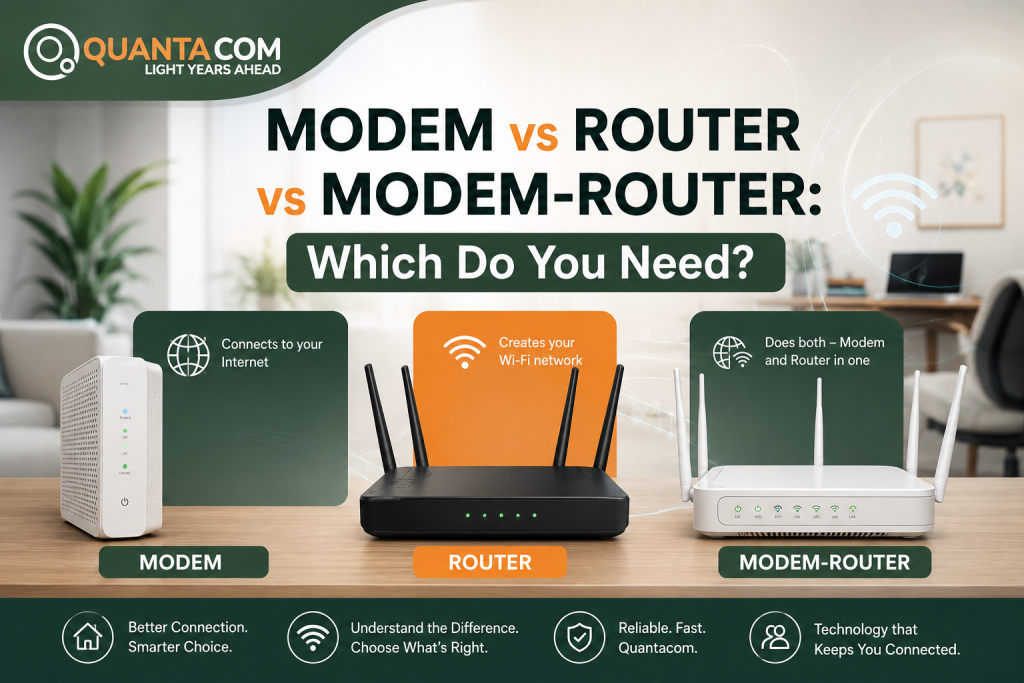
Modem, router or modem-router: which one does my business actually need?
It’s one of the most common questions we get from businesses setting up a new NBN connection, and the confusion is fair. Here’s the quick answer before we go deeper:
The equipment you need depends on the type of NBN connection running to your premises, not on personal preference. If you get this wrong, you’ll either buy hardware that can’t connect to the internet at all, or pay for modem functionality your connection doesn’t require.
Device | Main Job | Creates Wi-Fi? | NBN Use |
Modem | Connects to the internet service | Not by itself | Certain NBN connection types |
Router | Manages and distributes the connection | Yes | FTTP, HFC, FTTC and setups using an NBN connection box |
Modem-router | Combines modem and router functions | Yes | Common for FTTN/FTTB |
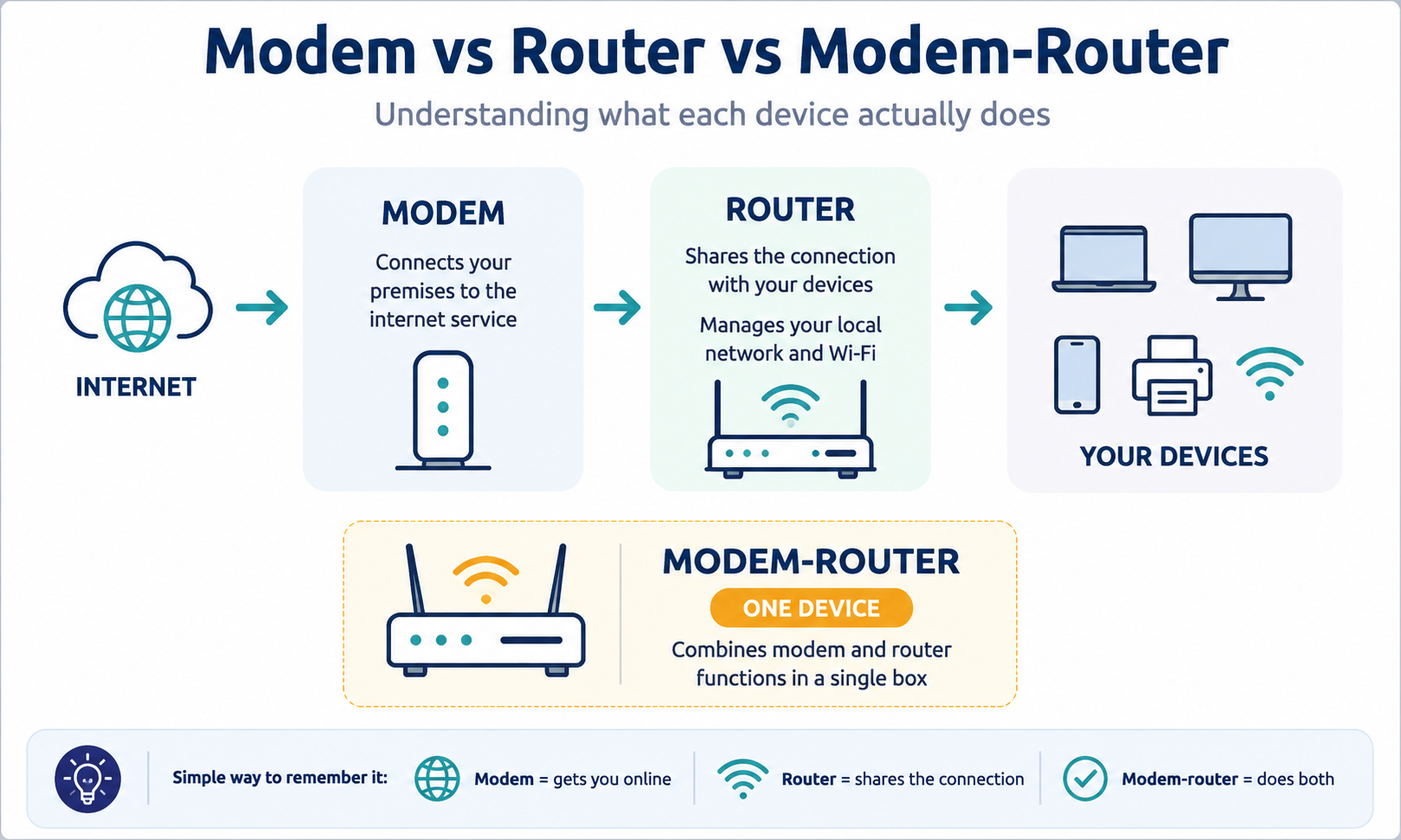
A modem is the device that handles the connection between your premises and your internet service, translating the incoming signal into something your network equipment can use. Note that not every NBN connection type actually needs one. On FTTP, HFC and FTTC connections, the NBN equipment installed at your premises handles the connection to the NBN network, so you generally don’t need a separate traditional modem.
A standalone modem doesn’t give you Wi-Fi or manage your network on its own. It just gets a connection online. Plug one device straight into a bare modem with nothing else attached, and that’s the only device with internet access. No shared connection, no local network, no Wi-Fi for the rest of the office.
A router manages your local network and shares the internet connection across multiple devices, over Wi-Fi and Ethernet. If the modem’s job (where one exists) is getting a connection online, the router’s job is deciding where the traffic goes once it’s inside the building.
A modem-router is exactly what it sounds like: modem and router functions built into one device. For businesses on FTTN or FTTB, this is the simplest way to get connected, since it handles the VDSL2 modem side and the local network and Wi-Fi from a single unit- fewer cables and one less thing to configure or troubleshoot.
Through our Orbit hardware shop, we stock the Archer VR600 as our go-to VDSL/ADSL modem-router for exactly this scenario.
Your NBN technology matters more than the name printed on the box. NBN Co assigns a fixed connection type to your business address (you don’t get to choose it), and that technology determines whether you need a router, a modem-router, or something else entirely. You can confirm your connection type and read more about how each technology works on NBN’s own network technology page.
NBN Type | What You’ll Need | Setup |
FTTP | Router | NBN connection box → Router |
HFC | Router | NBN connection box → Router |
FTTC | Router | NBN connection device → Router |
FTTN | VDSL2 modem-router | Phone socket → Modem-router |
FTTB | VDSL2 modem-router | Phone socket → Modem-router |
Fixed Wireless | Router | NBN equipment → Router |
Satellite | Router/network equipment | NBN equipment → Router/network |
Learn more about the differences between NBN FTTP, FTTN, and FTTC connections.
For these three, your business generally doesn’t need a separate modem at all. The NBN connection box (or NTD) installed on-site already handles the network-side connection to NBN Co’s infrastructure. All you need to add is a business-grade router to create your local network and Wi-Fi.
NBN connection box → Router → Devices
This is the one case where modem functionality genuinely matters at your end. Fibre to the Node and Fibre to the Building connections run over the existing copper phone line for the final stretch, which means your on-site equipment needs to manage that VDSL2 connection itself.
Phone socket → VDSL2 modem-router → Devices
If your office is on FTTN or FTTB, you need a VDSL2-compatible modem-router, not just a router.
Here, in fixed wireless, the NBN-supplied equipment handles the connection to the network, and your business adds a router for the local side. Not much to overthink here, since the real modem-vs-router decision is the FTTN/FTTB exception above.
If you are still not sure which technology serves your office, our team can check this against your address as part of setting up a plan. See our QuantaCom NBN Plans for current business NBN options.
With separate devices, the path looks like this:
Internet/NBN → Modem → Router → Your devices
With a combined unit, it’s simple:
Internet/NBN → Modem-router → Your devices
Either way, the same two jobs get done. The only question is whether one box handles both, or two boxes split the work.
Splitting modem and router into separate boxes makes sense when:
We stock standalone business routers and security appliances for exactly this scenario, including the TL-R470T+ load-balancing router, plus Cisco Meraki SD-WAN security appliances for businesses that need centrally managed, multi-site networking.
Choose a router if you’re on FTTP, HFC or FTTC, your NBN equipment already handles the incoming connection, and you want better Wi-Fi coverage, managed access points, or more advanced routing features across the office.
Choose a modem-router if you’re on FTTN or FTTB, you need VDSL2 modem functionality, and you’d rather run one device than two.
Choose a separate modem and router if you need multi-WAN failover, VPN, or security features a consumer-grade modem-router won’t handle.
Feature | Modem + Router | Modem-Router |
Number of devices | 2 | 1 |
Setup | More involved | Simpler |
Wi-Fi | Depends on router | Built in |
Upgrading | More flexible | Replace whole unit |
Space/cables | More | Less |
Best for | Growing or multi-site networks | Straightforward single-office setups |
Separate devices give a business room to grow. A setup might look like this:
Modem → Business router → Switches → Access points → Devices
That flexibility matters as a business expands, since the network can grow one piece at a time rather than replacing everything at once. Beyond routers, we also supply business switches, wireless access points and Cisco Meraki security appliances for exactly this kind of expansion.
A modem-router wins on simplicity, and it’s the right call when your setup is straightforward and the device matches your NBN connection type.
Not necessarily. A standalone modem gets a connection online and nothing more. A router adds the local network and Wi-Fi. A modem-router gives you all three in one box.
This is why people often say “our modem has Wi-Fi” when what the business actually has is a modem-router. It’s a small distinction, but it explains a lot of the confusion around modem and modem-router comparisons and why two devices commonly called “modems” can behave completely differently on the same network.
Wi-Fi coverage can also be extended separately through a wireless access point, which isn’t a replacement for a modem or router but adds coverage across a larger office or warehouse floor. We stock TP-Link’s Omada access point range for businesses that need better coverage without replacing the whole router.
Choosing between a modem, router and modem-router gets a lot easier once you know your NBN technology. For a business, the equipment decision is really only one part of a bigger picture: your connectivity needs to match your operations, not just your building’s wiring.
QuantaCom is a WA-based telecommunications and IT provider offering business NBN, fibre, fixed wireless, mobile broadband, VoIP and networking solutions.
Rather than just selling you a router, we look at the whole setup: which NBN or fibre plan actually fits your premises, whether you need modem functionality or straight routing, how your Wi-Fi and wired network should be structured across your site, and what backup or failover connectivity you need if the primary line drops.
That’s the combination we put together for clients, including:
Our Orbit hardware shop carries the hardware mentioned throughout this guide. Furthermore, we’ll help you choose the right NBN plan for your business. Whether you need an NBN setup or a fully managed business network, we’ll help you put together the connectivity and hardware that works today and scales as your business grows.
Explore Business Networking Hardware
Yes. Plug the router’s WAN port straight into the NBN connection box, then connect your business devices to the router’s LAN ports and Wi-Fi.
Depends on your technology. FTTN and FTTB need a VDSL2 modem-router, while FTTP, HFC and FTTC only need a standalone router.
No. Your router must match your NBN connection type, support the right WAN interface, and handle your plan’s speed and business needs.
Check WAN and Ethernet speeds, Wi-Fi range and capacity, plus business features like VPN, VLAN, multi-WAN and managed access-point support.